Agent 101 - AI SWE Agent
Agentic IDE plugin designed before Claude Code

Overview
- Role & Responsibilities
- Lead Designer End-to-end design, prototyping, stakeholder management
- Team
- Designer × 2, PM × 1, AI Research team
- Period
- 2024 Q2 (1 week)
What I did
- Led the UI and UX design for the VS Code plugin
- Developed interactive prototype to illustrate the core SWE agent concept
Brief
The SWE Agent research team needed a tangible product experience of its autonomous coding-agent research, with human-in-the-loop checkpoints inside a real developer workflow. The prototype also needed to make the concept clear enough for executive stakeholders to evaluate and support.
Users
Software Developers
- Delegate coding tasks without losing control
- Trust and verify changes
Design challenge
How might we demonstrate an autonomous coding agent inside a developer workflow?
What I designed & built
Designed and prototyped an IDE showing a human-in-the-loop coding agent inside a real developer workflow. Visualizing the agent's workflow step by step made the abstract concept tangible for executives seeing it for the first time.
Agent 101 helped secure continued sponsorship and was later demoed publicly by IBM Research leadership at TechXchange. The team has since ranked at the top of multiple SWE agent leaderboards.
Process
Start and End Where the Work Already Is: GitHub
No new surface to learn
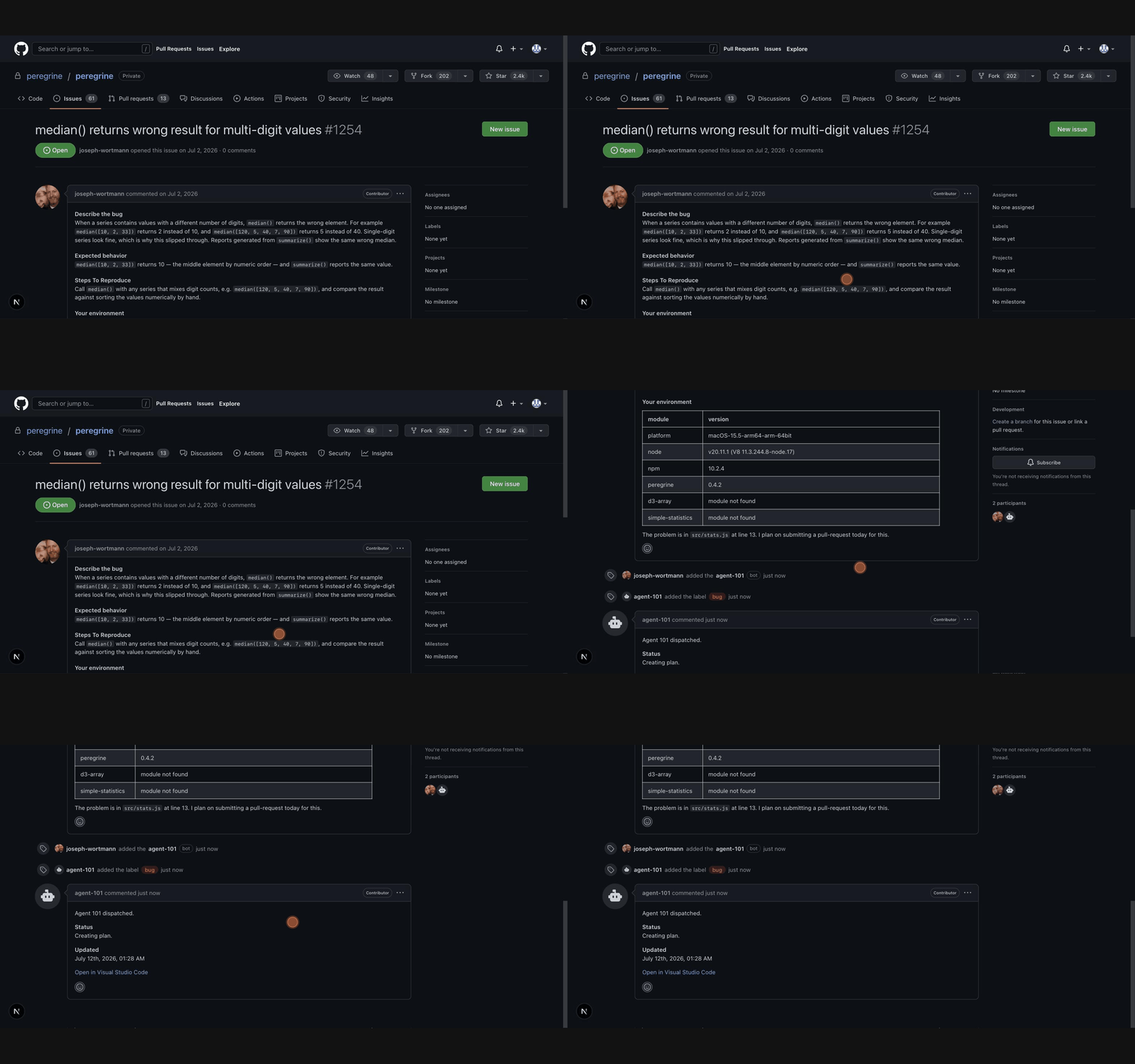
Work begins in a GitHub issue, not a new tool. Adding a label starts the agent, which reports its progress (Creating plan → Executing plan → Pull request created) inside the existing thread.
The workflow ends with a pull request linked back to the issue.
Dispatch from the issue
Assigning the agent-101 label is the whole onboarding: the bot acknowledges in the thread and keeps its status where the team already looks.
A Plan You Can Watch, and Rewrite
The plan drafts itself, step by step
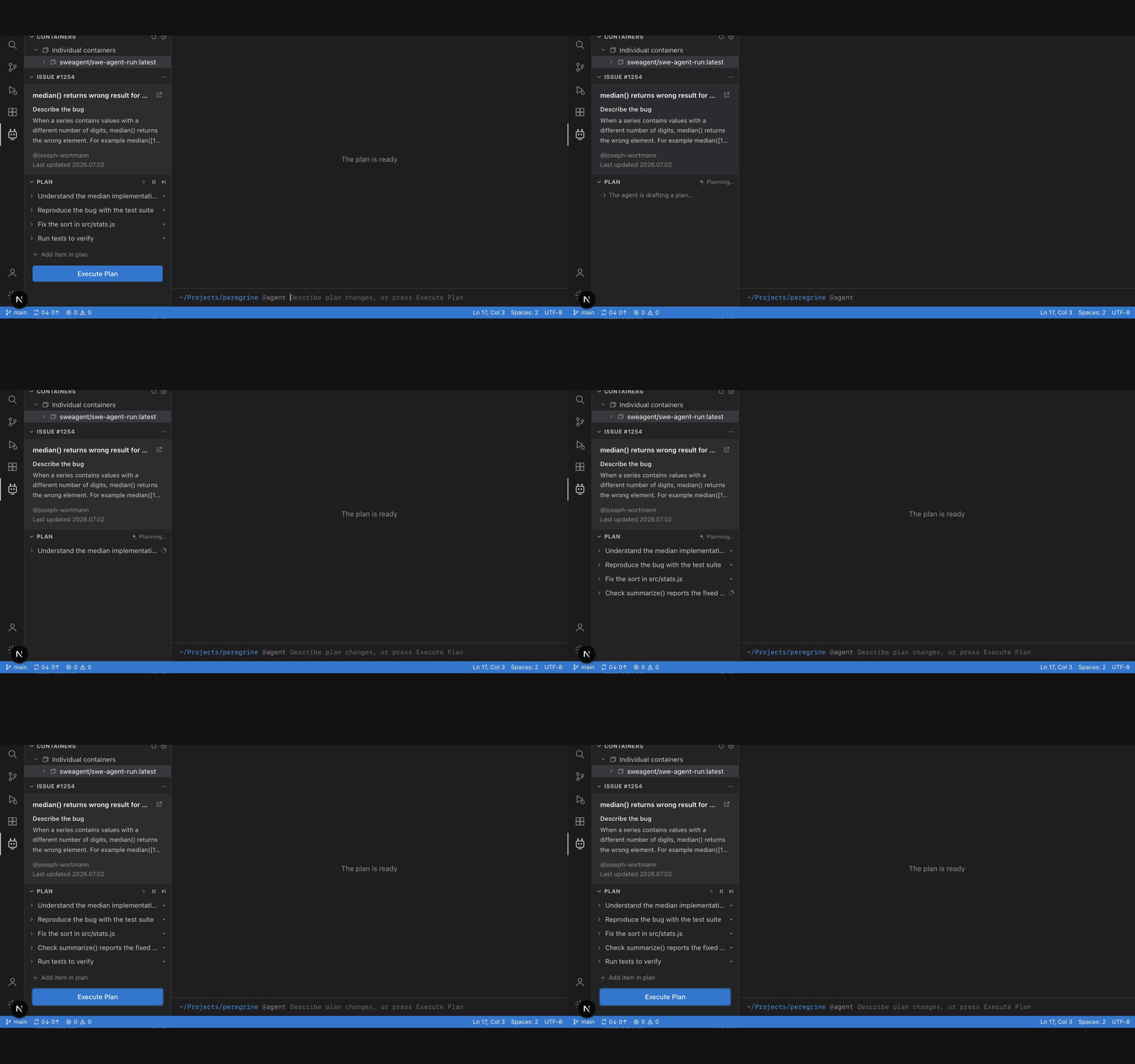
The agent's first act is a plan: steps appear one at a time, visible work instead of a spinner, and nothing executes until you press Execute Plan.
Plans are negotiable
Type a change into the command bar and the agent redrafts the plan in front of you. The run starts only when the plan is yours too.
Plans are negotiable
Before execution, users can chat with the agent to refine the plan.
Execution You Can Audit
Thought → Action → Observation
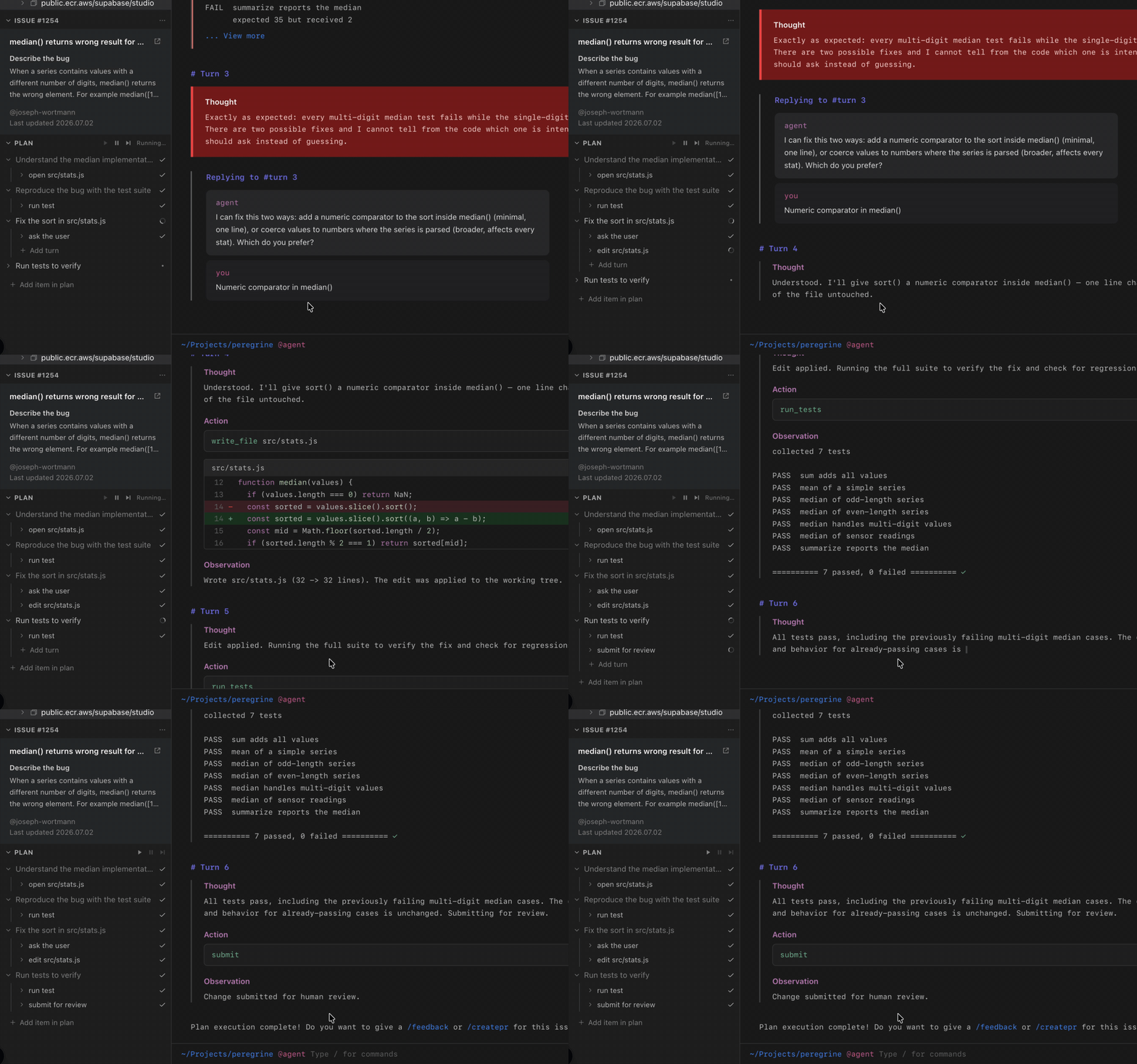
Every turn shows the agent's reasoning, the exact tool call, and the real output, failures included, because showing the work is what makes the result credible.
Real tests, real diffs
Failing tests render red and every edit is a reviewable diff. Output is evidence, not narration.

Two altitudes of progress
Press Execute Plan and the sidebar mirrors the run: each step grows sub-turns that tick off live, so progress stays legible without reading the trace.
Human in the Loop
Ambiguity is a UI state, not a failure
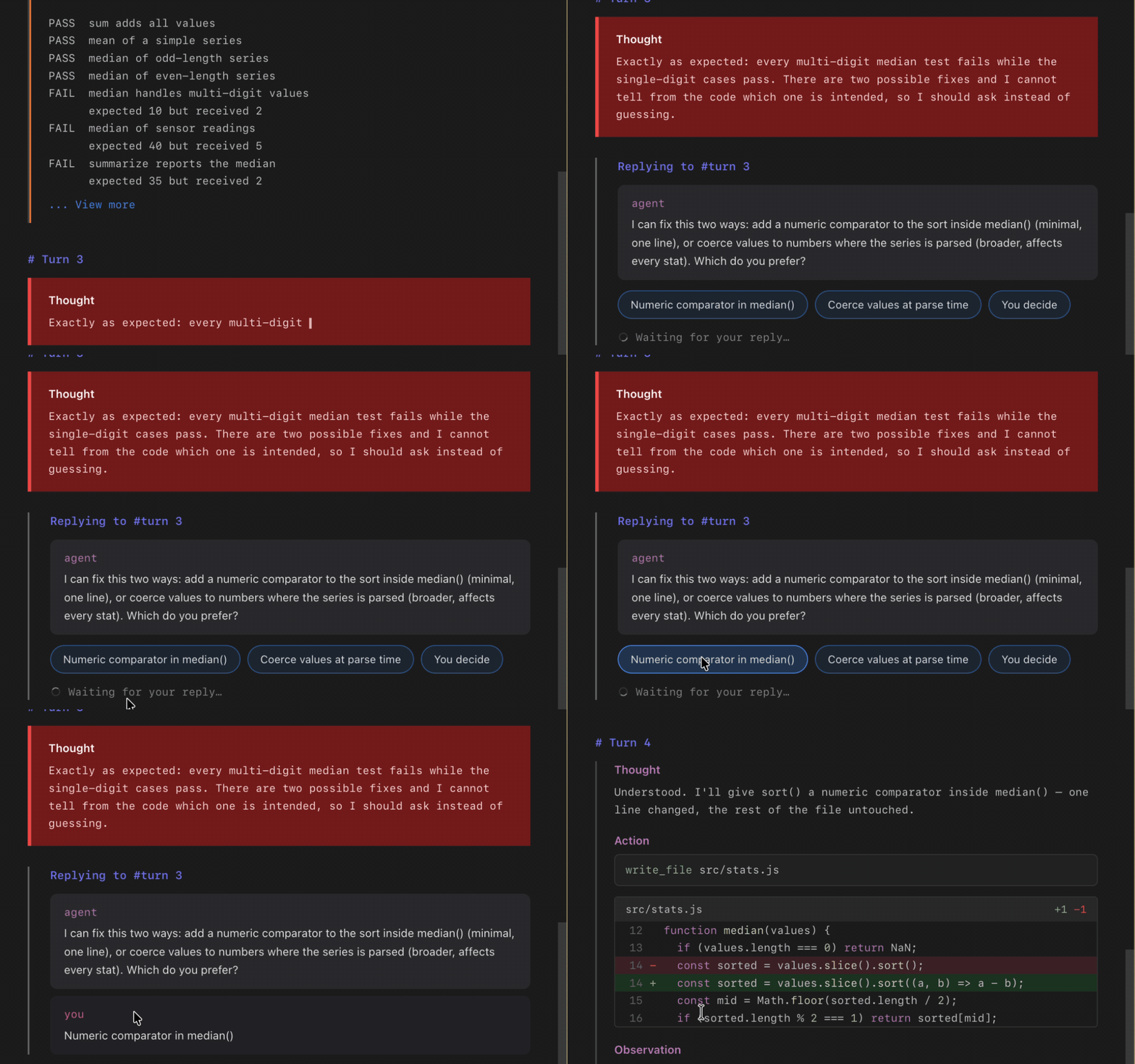
When a decision could go more than one way, the agent doesn't guess. Its blocked reasoning renders as a red thought block: a silent wrong guess is the error, and it asks, with one-click answer chips. The decision lands in the trace and the run resumes: a teammate in the loop, not an approval modal.
Blocked, asking, resumed
The red block signals 'I won't guess'; option chips make answering a one-click decision that's recorded in the trace like a code-review thread.
Close the Loop: Slash Commands & the PR
Commands, available in the chat
Users can type / in the chat at any time to call a command. /feedback records their judgment as evaluation data for the agent, while /createpr packages the changes as a pull request linked back to the original issue.
These commands keep key actions inside the existing conversation instead of introducing a separate control surface.
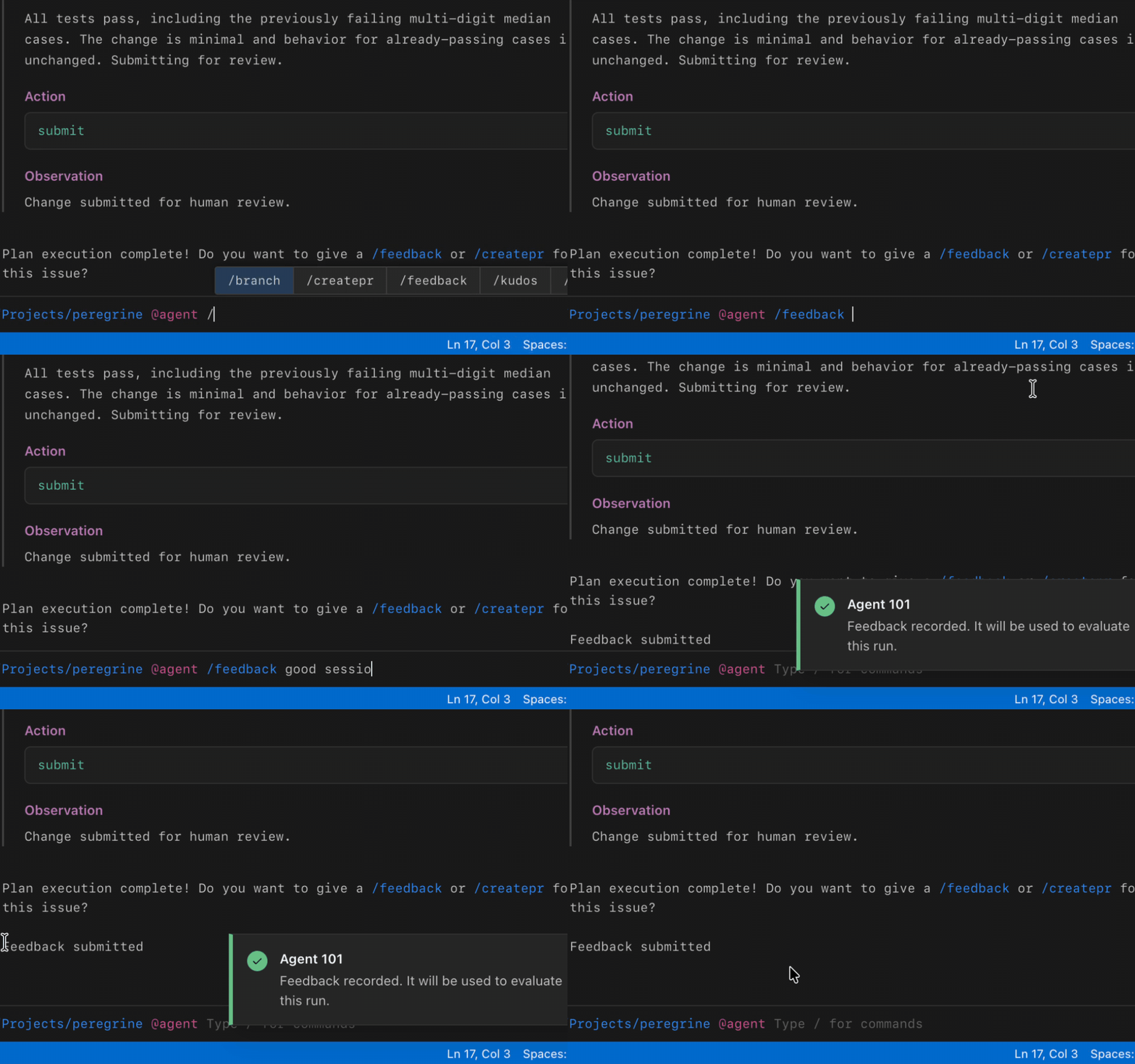
/feedback grades the run
A one-line /feedback note is recorded against the run. Human judgment becomes evaluation data for the agent.
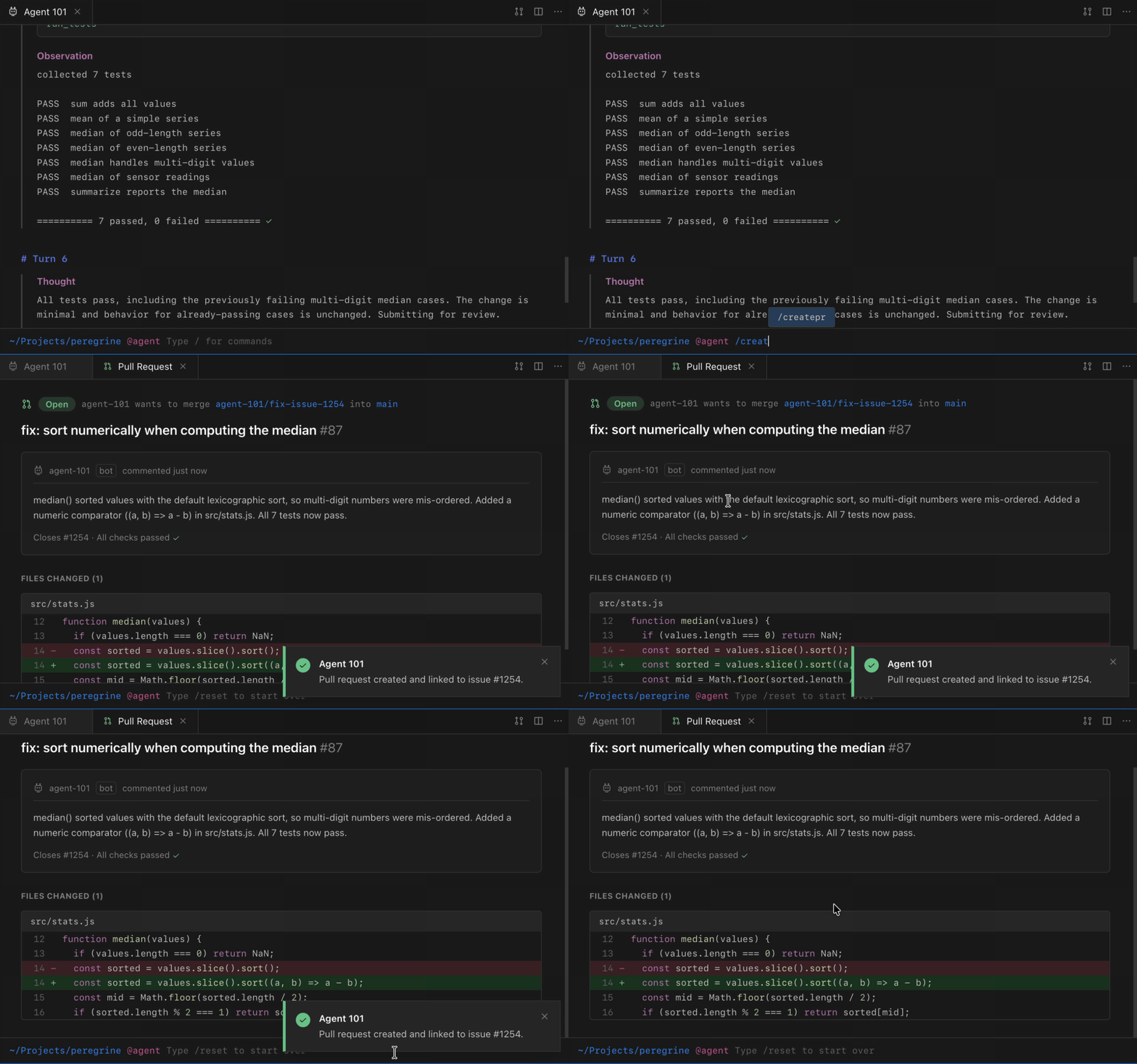
From /createpr to a linked PR
One command produces a reviewable pull request and updates the issue timeline on GitHub. The loop closes where work started.
Learnings
- Effective methods for visualizing and explaining complex, autonomous AI workflows to audiences unfamiliar with the concept.
- Designing interfaces focused on transparency and clarity when introducing novel AI agent interactions.
- We reviewed the workflow with developers during the sprint, and one recurring concern was losing visibility once execution started, which reinforced the need for explicit plan and progress states.
Next steps
- Explore technical feasibility further based on positive concept reception.
- Design potential user controls for human-in-the-loop interactions and autonomous agent management.
- Explore more detailed interactions and add more features